
LATEST COMMENTARY
FIVE THINGS TO KNOW
MCT READER PULSE · MCT-PULSE-2026-017
MCT READER SURVEY
Gaano ka nagtitiwala na tama ang ginagawa ng Kongreso sa budget ng bayan?
This is an informal survey of people who choose to participate. It is not a scientific or nationally representative sample.
ABOUT A LOST PHONE: FIVE THINGS TO PROTECT YOUR ACCOUNTS AND RECOVER GCASH ACCESS
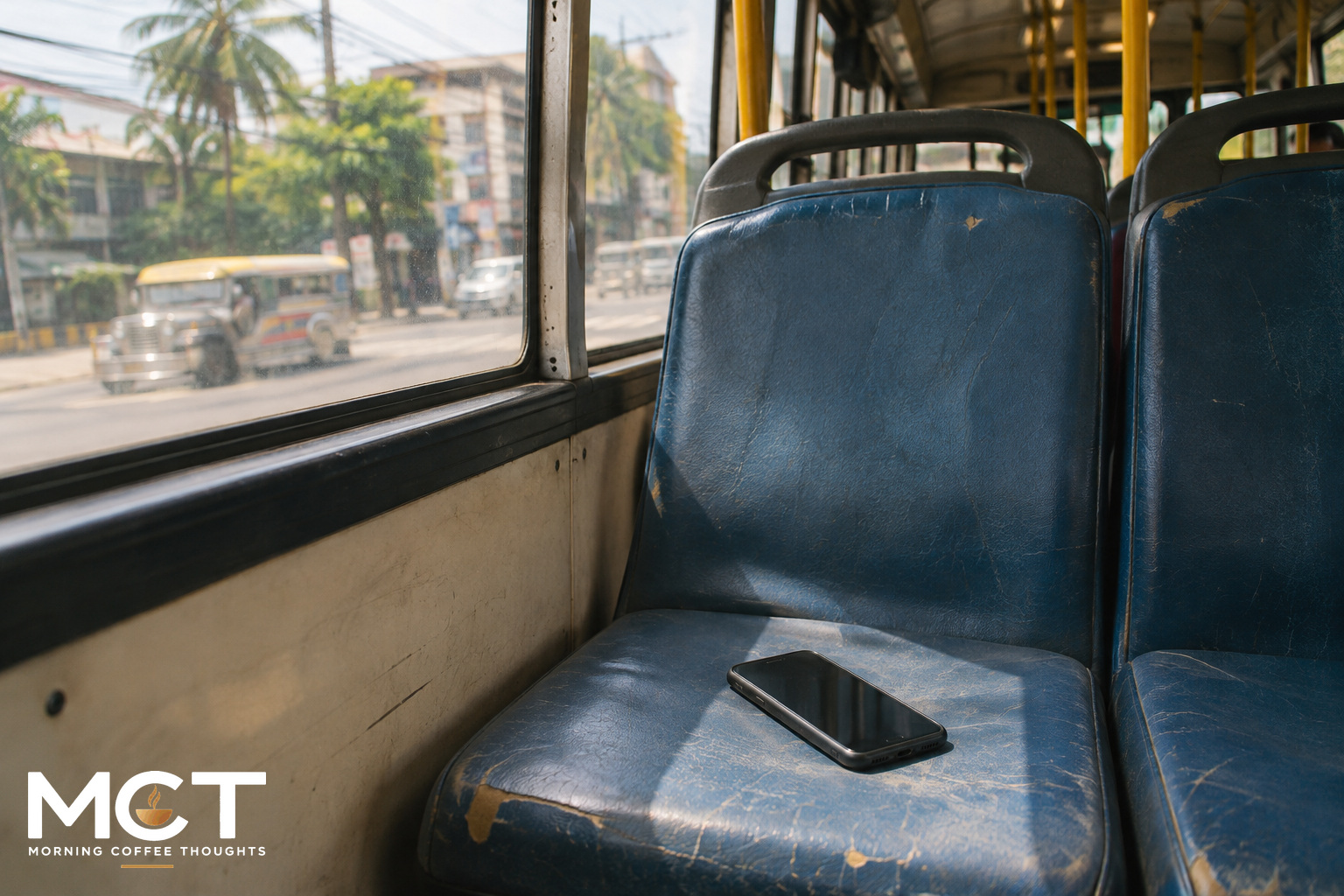
When your phone is lost, the money in GCash and other accounts linked to your number may be at risk. Act promptly to prevent someone else from using your SIM or accessing your accounts.
There are several separate jobs here: asking the network to bar the SIM, reporting the wallet account, protecting the device and recovering access. One report does not automatically complete the others. There is also a difference between two Globe checklists that is worth checking before a trip to the store.
1
REPORT THE WALLET LOSS WITHOUT WAITING FOR A NEW SIM
GCash lets someone report a lost phone or SIM through its app on a spare phone or a trusted person’s device. From the login screen, open Help Center, choose Lost SIM/Phone under Quick Help, then Chat with Gigi. For this loss report, use the app, not a browser chat.
GCash lists a blocking window of up to four hours and says an email follows once the account is blocked. Keep that confirmation. A submitted report and a confirmed block are different stages.
WHAT TO CHECK
Save the support reference and the time you reported the loss. While waiting, report the missing number to your network and contact other linked financial accounts through their own official support channels. The GCash report only concerns GCash.
2
ASK YOUR NETWORK TO BAR THE SIM, THEN CHECK ITS REPLACEMENT RULES
For Smart, the registered SIM owner can request a free replacement retaining the same number at a Smart Store, with one valid government-issued ID.
Globe separates temporary barring from replacement. Prepaid and TM customers need to visit a store; one government-issued ID can be brought for temporary barring while other documents are being prepared. Postpaid customers can report through Globe’s official Messenger account or call 211 from a Globe number.
There is a wrinkle in Globe’s own pages. Its loss-reporting page lists a notarized affidavit and two IDs for Prepaid/TM replacement. Its separate replacement FAQ lists one original government-issued ID, a selfie and ownership documents, with notarized support in some verification cases. Ask the store which checklist applies before paying for paperwork. Do not postpone the request to bar the lost SIM while sorting that out.
WHAT TO CHECK
Confirm that the request concerns a lost SIM, not a damaged SIM or an upgrade. Globe’s replacement FAQ directs lost-SIM cases to a store; the app-based upgrade instructions are not interchangeable with that process. Other networks have their own procedures.
3
PROTECT THE HANDSET AS WELL AS THE NUMBER
For an iPhone, Apple’s Find My service can help locate the device and mark it as lost. This depends on Find My having been enabled before it disappeared. When the command takes effect, Lost Mode locks the device; an offline device needs a connection before the status can update.
The Find Devices option on Apple’s website can be used without the verification code that might otherwise be sent to the missing phone. Do not remove the device from Find My merely because it is gone. Removing it also removes Activation Lock, making it easier for someone else to unlock and resell it.
WHAT TO CHECK
Check whether the device shows as lost, rather than assuming a request already reached it. For another phone brand, use its official lost-device guidance. SIM replacement, account blocking and device locking are different actions, with different confirmations.
4
KEEP RECOVERY INSIDE THE OFFICIAL SUPPORT PROCESS
GCash describes two routes after the account is blocked: replace the SIM to retain the number, or register a new GCash account with a new number. It then directs users to Gigi to request unblocking or a transfer of funds. The request is reviewed; the 48-hour reply window is not a promise that funds will be returned within 48 hours.
Be wary of someone offering a shortcut in a comment or private message. GCash warns that fake support pages ask for account information. A one-time password, or OTP, and your MPIN must stay private. Someone who promises recovery in exchange for those details can create another problem while you are trying to fix the first.
WHAT TO CHECK
Use the provider’s app or help site yourself. Do not hand a stranger the codes needed to access the account, and do not treat a new SIM as proof that the wallet has already been unblocked.
5
KEEP A RECORD IF THE MONEY OR COMPLAINT REMAINS UNRESOLVED
Write down what happened, when you reported it, the support reference and any transactions you did not authorize. Keep the replies and supporting records together. If the concern involves a financial institution supervised by the Bangko Sentral ng Pilipinas, raise it with the institution first.
For an unresolved concern, the BSP offers its consumer-assistance process through BSP Online Buddy and other channels. Prepare the complaint sent to the institution, the reply if there is one, supporting documents and the outcome being requested.
WHAT TO CHECK
An escalation is a way to have a complaint addressed, not an automatic refund. State clearly whether you need access restored, an unexplained transaction investigated or a response to an existing complaint. Those are not the same request.
BOTTOM LINE
Start the protective reports now, then work through access recovery. Keep each confirmation: the SIM barred, the wallet blocked, the device marked lost where available, and the recovery ticket opened. That small record makes the next conversation with support much easier than starting the story again from memory.
SOURCES
- GCash: Lost or stolen SIM, phone, or device. https://help.gcash.com/hc/en-us/articles/900006457043-Lost-or-stolen-SIM-phone-or-device
- Smart: How to request a Smart Postpaid or Prepaid SIM replacement. https://help.smart.com.ph/how-to-request-smart-postpaid-or-prepaid-sim-replacement/
- Globe: Temporary disconnection of a lost Globe SIM/phone. https://www.globe.com.ph/help/postpaid/lost-sim-phone
- Globe: Mobile Postpaid and Prepaid SIM replacement. https://www.globe.com.ph/help/sim-replacement
- Apple: How to find your lost iPhone or iPad, September 14, 2026. https://support.apple.com/en-us/101593
- GCash: How can I protect my GCash account? https://help.gcash.com/hc/en-us/articles/19578518834457-How-can-I-protect-my-GCash-account
- Bangko Sentral ng Pilipinas: Consumer assistance channels and chatbot. https://www.bsp.gov.ph/Pages/InclusiveFinance/ConsumerAssistanceChannelsChatbot.aspx
GOOGLE PREFERRED SOURCES
FOLLOW MCT ON GOOGLE
Google’s Preferred Sources feature lets you choose publications you want Google to prioritize for you. Select “Add to Preferred Sources” to make MCT easier to find in Top Stories and other eligible Google results. This does not subscribe you to email.