
LATEST COMMENTARY
FIVE THINGS TO KNOW
MCT READER PULSE · MCT-PULSE-2026-017
MCT READER SURVEY
Gaano ka nagtitiwala na tama ang ginagawa ng Kongreso sa budget ng bayan?
This is an informal survey of people who choose to participate. It is not a scientific or nationally representative sample.
ABOUT INSTAPAY AND PESONET: WHICH ONE SHOULD YOU USE?
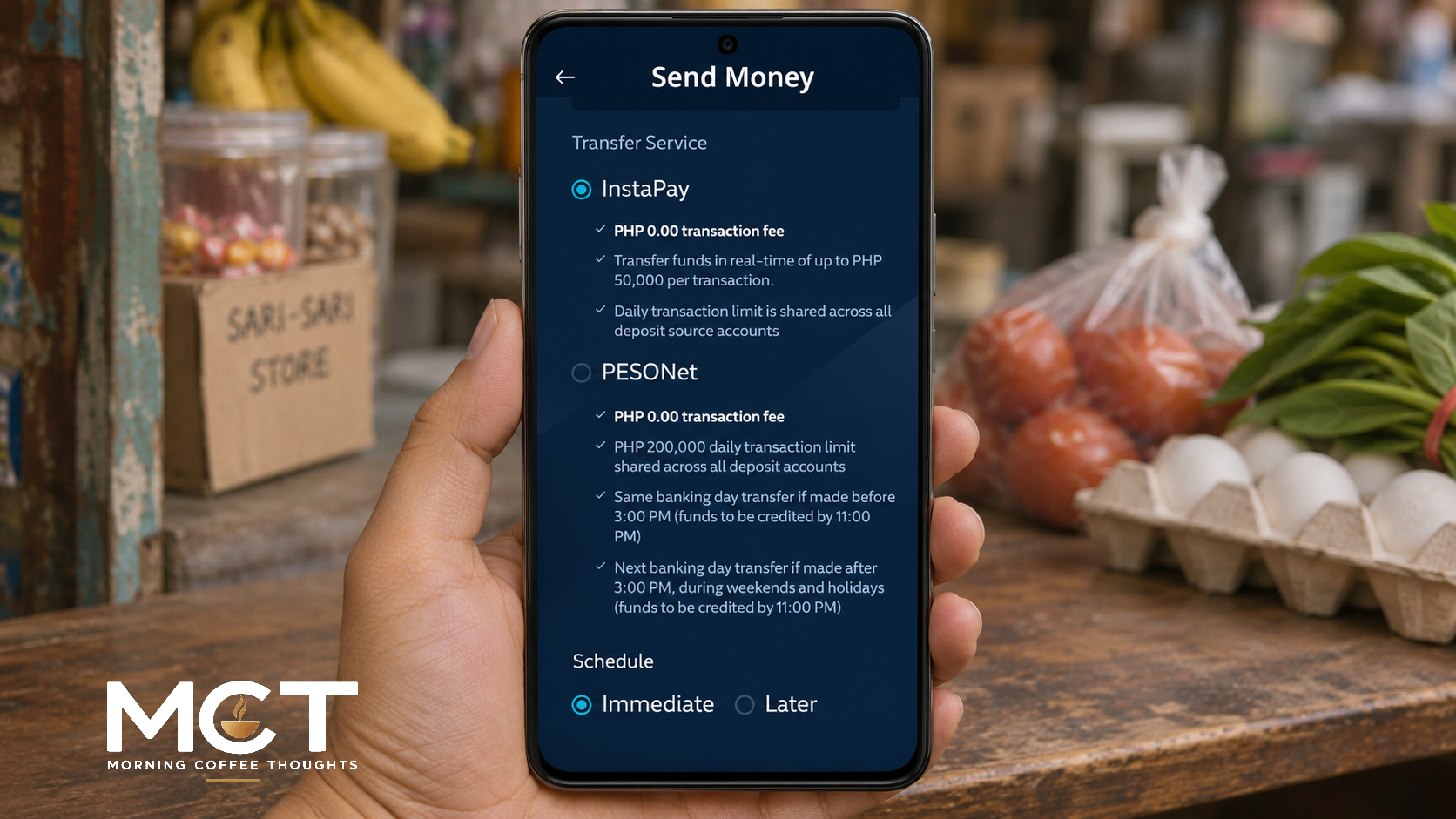
You need to send money for groceries or settle a bill over the long weekend. Your app offers InstaPay and PESONet. Before you tap send, ask when the person on the other end needs the money. The cheaper option is not a bargain if the payment arrives late.
1
CHOOSE INSTAPAY IF IT NEEDS TO ARRIVE NOW
InstaPay is designed to move pesos between participating Philippine banks and e-wallets almost immediately, including on weekends and holidays. The limit is ₱50,000 per transfer, though your provider may set a lower limit. Check for a maintenance notice if the payment cannot wait.
2
CHOOSE PESONET IF THE MONEY CAN WAIT
PESONet processes transfers in batches on banking days. A transfer made before your bank’s cutoff can arrive that banking day. One sent after the cutoff or on a holiday can wait until the next banking day. PESONet can also be useful for amounts above the InstaPay limit, but check how much your provider lets you send.
3
CHECK WHEN A HOLIDAY TRANSFER WILL ARRIVE
Look for the processing date, not just the time the app lets you submit. For Bonifacio Day, PNB says it will process PESONet transfers submitted after 3 p.m. Friday, November 27, through Monday, November 30, on Tuesday, December 1. That is PNB’s schedule. If you use a different provider, check its own advisory before you promise a payment date.
4
COMPARE THE FEE BEFORE YOU CONFIRM
Fees vary by bank or wallet, and some providers waive them under specific conditions. Read the fee and the total amount to be deducted on the confirmation screen. If your due date gives you room to wait, compare both choices. If the payment is due today, compare arrival times first.
5
DON’T SEND AGAIN JUST BECAUSE IT HASN’T ARRIVED
Check the transfer status and ask the recipient to check their account. If your balance went down but the recipient has not been credited, save the reference number, amount, date and time. If the quoted processing window has passed, or an instant transfer is stuck, contact the bank or wallet you sent from. If it does not resolve your complaint, you can escalate it through the BSP Consumer Assistance Mechanism.
BOTTOM LINE
Use InstaPay for money someone needs now. Use PESONet when you can work around banking days and cutoffs. If a transfer is already pending, check what happened before sending a second one.
SOURCES
- Bangko Sentral ng Pilipinas, InstaPay FAQ: https://www.bsp.gov.ph/PaymentAndSettlement/FAQ_Instapay.pdf
- Bangko Sentral ng Pilipinas, PESONet FAQ: https://www.bsp.gov.ph/PaymentAndSettlement/FAQ_PESONet.pdf
- Bangko Sentral ng Pilipinas, electronic transfer fees: https://www.bsp.gov.ph/Pages/Forms/DispForm.aspx?ID=1539
- Philippine National Bank, November 30 PESONet schedule: https://www.pnb.com.ph/post/pnb-digital-pesonet-holiday-advisory-on-november-30-2026
- Bangko Sentral ng Pilipinas, Circular 1195 on electronic transfer status and complaints: https://www.bsp.gov.ph/Regulations/Issuances/2024/1195.pdf
- Bangko Sentral ng Pilipinas, Consumer Assistance Mechanism: https://www.bsp.gov.ph/Pages/InclusiveFinance/ConsumerAssistanceManagement.aspx?ID=1869
GOOGLE PREFERRED SOURCES
FOLLOW MCT ON GOOGLE
Google’s Preferred Sources feature lets you choose publications you want Google to prioritize for you. Select “Add to Preferred Sources” to make MCT easier to find in Top Stories and other eligible Google results. This does not subscribe you to email.